
Mobile app · Discover
Market news, custom news feeds and discussion in Stock Master
Read market and company news in Stock Master, build your own news groups by site and keyword, get news alerts, and follow the public discussion on a stock.
On this page
Prices tell you what moved; news usually tells you why. Stock Master brings in market headlines, company news for every symbol, news for a whole watchlist or portfolio, and feeds you build yourself from the sites and keywords you care about. Next to the news sits Discussion: the public conversation about a stock from the StockTwits community.
This guide covers where each kind of news lives, how to make your own news groups, how news notifications work, and how to read the discussion stream sensibly.
Where the news is
| Where | What you get |
|---|---|
| News Headline widget on Home | The top market headline. Tap to read. |
| Market News Group (side menu) | Market news plus your own news groups. |
| News tab on a quote | News about that company or fund. |
| ≡ › Related News on a watchlist | News for every symbol on the list in one stream. |
| ≡ › Related News on a portfolio | News for your holdings. |
| Article History (side menu › My Stuff) | Articles you've opened, newest first. |
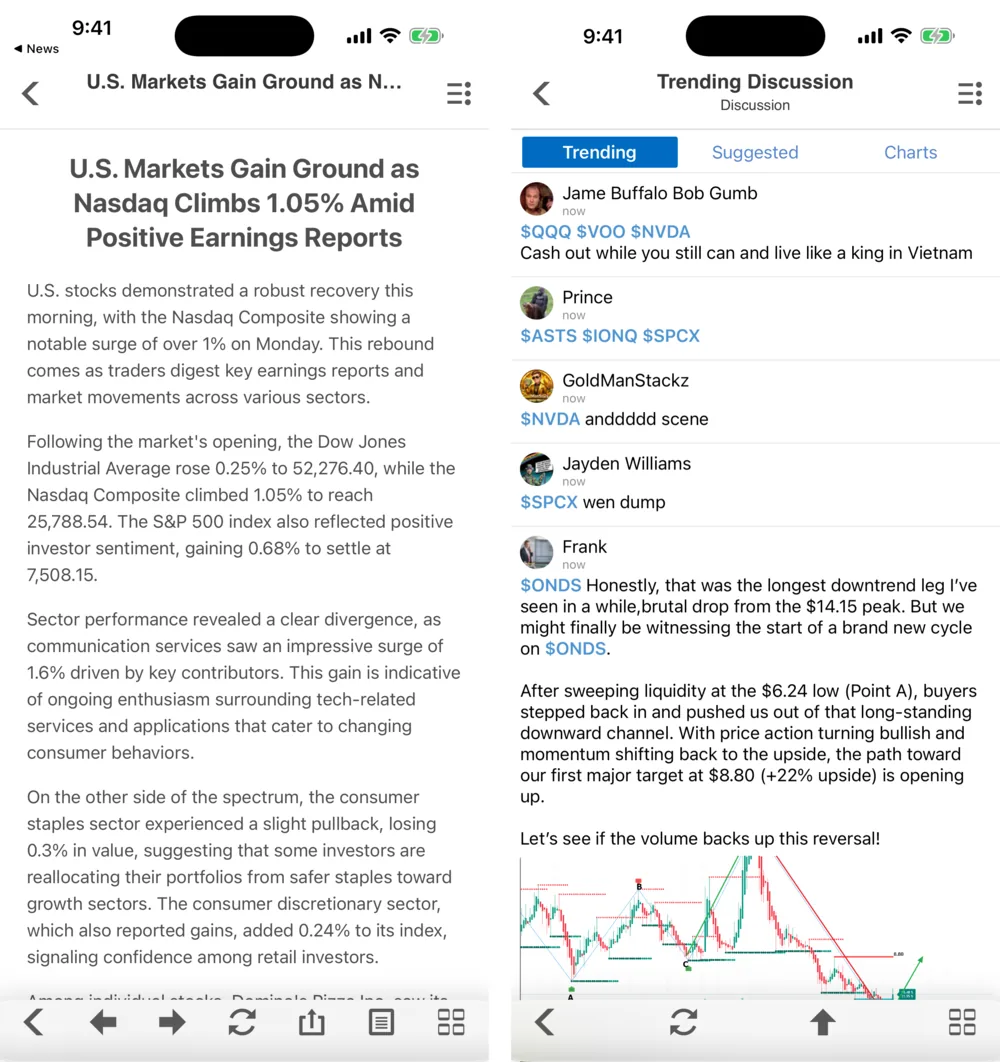
Tap a headline to open the reader: the article's text and pictures without the source site's clutter. The bottom toolbar has previous and next arrows to move through the list without going back, a refresh button and share.
Build your own news groups
The standard market news is a starting point. To follow, say, everything Reuters writes about semiconductors, make a news group:
- Open Market News Group from the side menu.
- Open the ≡ Actions menu and tap Add News Group.
- Fill in the Add RSS Feed form:
- Name — what the group is called in your list, such as "Chip news".
- Site — the publisher's domain, such as
reuters.comorbloomberg.com. - Keyword — a word that must appear, such as
nvidiaoraapl. Leave it empty to get everything from the site.
- Save. The group appears in the list and fills with matching articles.
Edit News Groups deletes groups or changes their order, and Reset to Default brings back the original list.
Narrow keywords work best. "Apple" catches fruit and record labels; "aapl" or "iphone" is more precise.
News notifications
Stock Master can send a push notification for important market news. Turn it on or off in Settings › Notification › Enable Market News Notification. Price and indicator alerts are separate and are set up per symbol — see Set price, percent and indicator alerts in Stock Master.
Discussion
The Discussion tab on a quote, and Trending Discussion for the whole market, show posts
from StockTwits, a public social network for traders. Posts tag symbols with a dollar sign
($NVDA), the convention StockTwits calls a cashtag. Trending Discussion has three tabs:
- Trending — posts about the symbols drawing the most attention right now.
- Suggested — StockTwits' suggested stream of posts.
- Charts — posts that include a chart image.
Use the ≡ Actions menu to refresh or scroll back to the top.
Read discussion as sentiment, not information. Posts are opinions from anonymous accounts, often from people who already own the stock and want it to rise, and a sudden flood of posts is as likely to mark a top as a start. Check any claim against the company's filings and reputable news before acting on it.
Frequently asked questions
How do I see news only about my stocks?
Open your watchlist or portfolio and choose Related News from the ≡ Actions menu. You get one stream covering every symbol in the list.
Can I add my own news sources?
Yes. In Market News Group, tap ≡ › Add News Group and enter a site and, optionally, a keyword. The group then collects matching articles from that site.
Where do the discussion posts come from?
From StockTwits, a public social network for traders. Stock Master shows the public stream; it doesn't write or check the posts.
How do I stop news notifications?
Go to Settings › Notification and turn off Enable Market News Notification. Your price alerts keep working.
Summary
Headlines are on Home, company news on each quote's News tab, list-wide news under Related News, and your own site-and-keyword feeds in Market News Group. Discussion shows the public StockTwits conversation; treat it as a gauge of mood, and check the facts elsewhere.